Find your way around
The sidebar, the header, the Tools panel and the second panel: everything that frames every page.
Every page sits in the same frame. Learn it once and the whole app opens up.
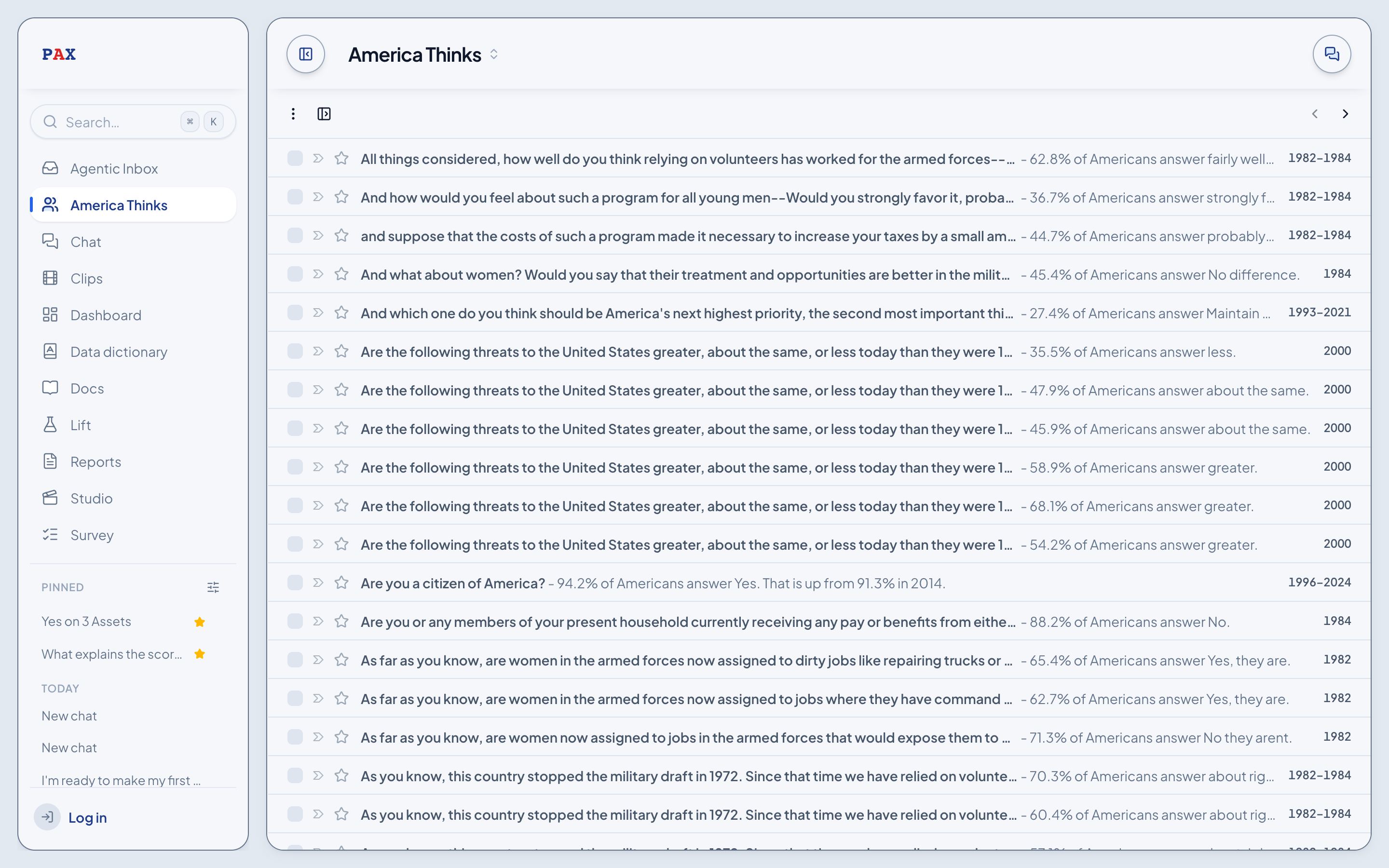
The sidebar
The sidebar lists the pages A to Z: Agentic Inbox, America Thinks, Chat, Clips, Data dictionary, Lift, Reports and Survey. Staff also see the Admin group with Dashboard and Studio.
- The button at the top left of every page opens and shuts it.
- Hover a page to see its arrow: it opens that page in a second panel, beside the one you're on.
- The three dots beside a page copy its address, favorite it, or open it in the second panel.
- Your saved chats are listed under Chats.
The header
- The page's name at the top left opens a list of every page, so you can jump without the sidebar.
- Tools at the top right opens the Tools panel: Blocks, Chat, Lift Analysis, Studio, Theme and more.
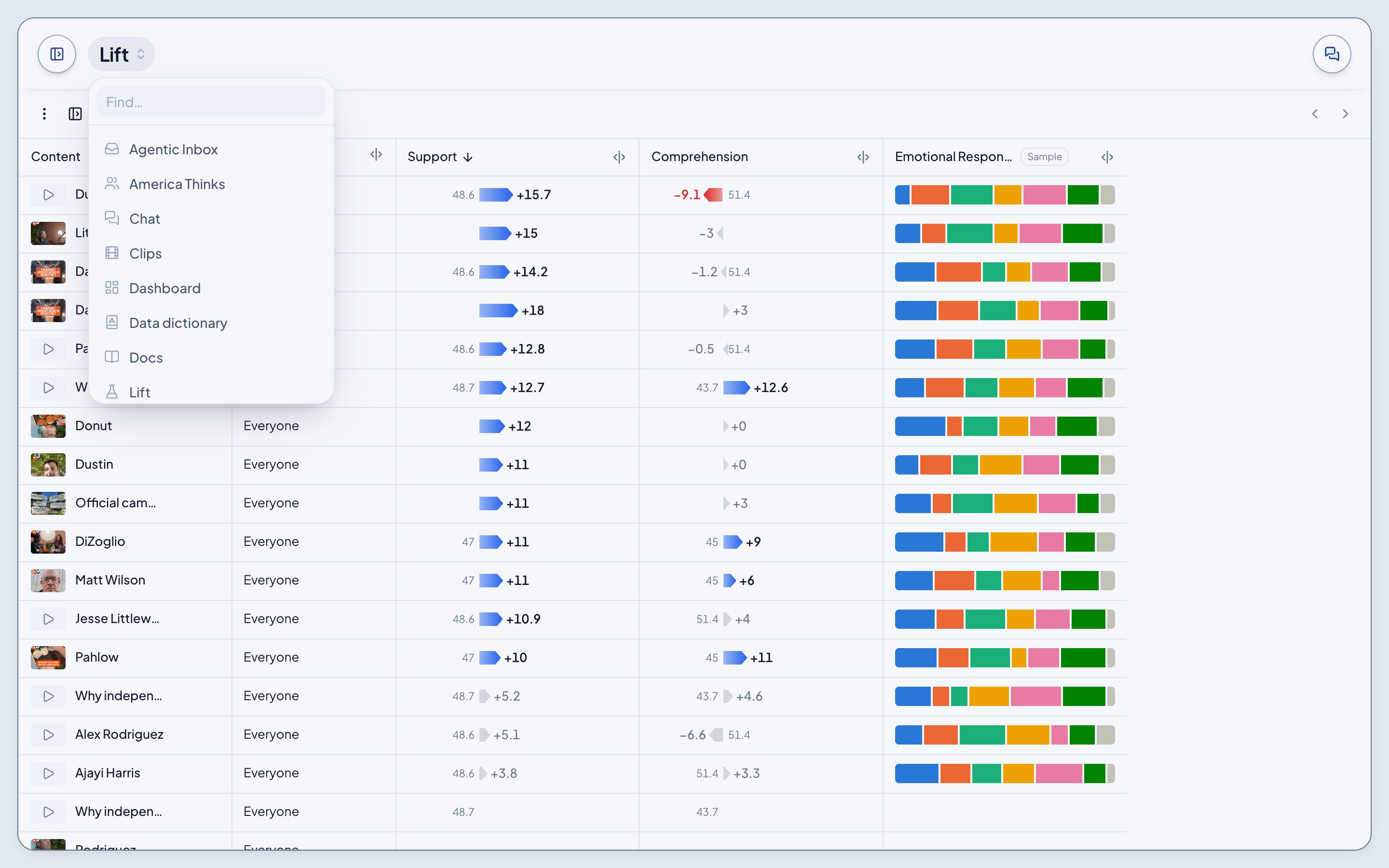
Pages with their own sidebar
America Thinks, Lift, Survey and the Agentic Inbox each have a sidebar of their own inside the page: its search, its folders, and its filters. The button in the page's toolbar opens and shuts it.
Search
Press ⌘K anywhere. See Search.
The account menu
The account menu at the foot of the sidebar holds Profile, Account (Members and Permissions), Notifications, Settings (General and Integrations), Docs, Models, Theme and Log out.