Themes and appearance
Switch between six themes, light and dark, and fine-tune any colour.
Settings1 min read
PAX comes in six themes: PAX Light (the default), PAX Dark, Light, Dark, Vercel and VS Code. Every page, chart and panel follows the one you pick.
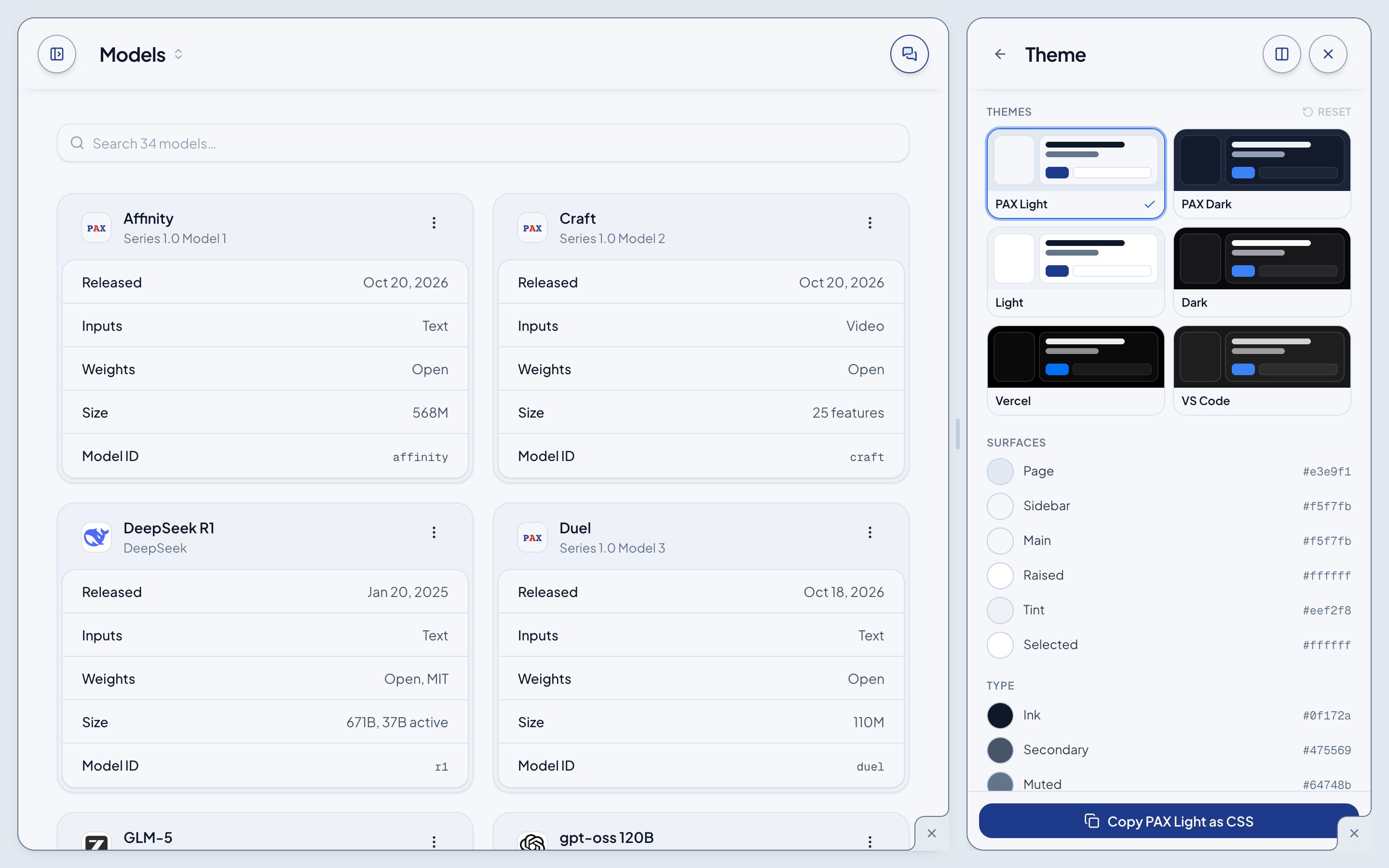
Change your theme
- Open the account menu at the foot of the sidebar and turn on Theme.
- Open Tools and choose Theme.
- Click a theme. It applies at once and stays in this browser.
Fine-tune it
Below the themes, every colour the theme is made of is listed by role: Surfaces (Page, Sidebar, Main, Raised, Tint, Selected), Type (Ink, Secondary, Muted, Faint), and the accents. Click a swatch to change it. Reset puts the theme back, and Copy as CSS copies the whole theme.