Filter, star and flag in Lift
Choose exactly which videos, measures and segments the table shows, and keep your favorites one click away.
Lift1 min read
Lift's sidebar decides what the table shows. Open it from the sidebar button in the toolbar.
Search
The box at the top of the sidebar searches treatments by name. So does the toolbar: click its empty space and type.
Folders
Tests and Archive switch the table between the two folders.
Favorites and Important
Hover any row to see its flag and its star.
- Click the star to make it a favorite, or the flag to mark it important. Both stay once set, in this browser.
- Favorites and Important in the sidebar show only those rows, with their counts. Click again to see everything.
Treatments, Metrics and Segments
Each opens into a checklist. Everything starts checked; uncheck a row to take it out of the table.
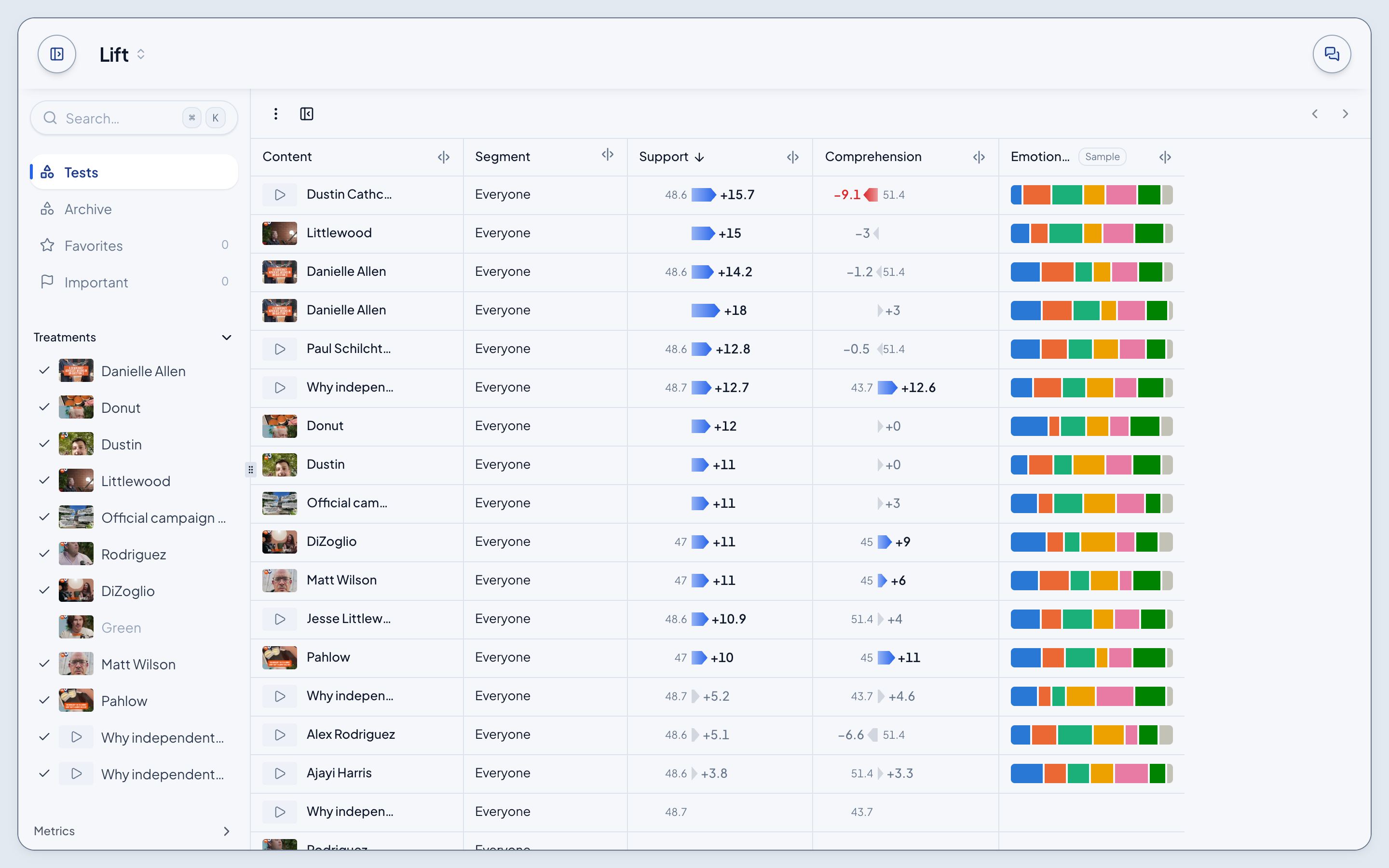
- Treatments: every video, with its picture. Show all and Hide all sit at the bottom.
- Metrics: the primary and secondary measures and Emotional Response. In the Archive, the traits you can add as columns too.
- Segments: Everyone, then each breakdown and its groups. Everyone only hides every breakdown at once; checking a breakdown checks all its groups, and a dash means some are hidden.
Filter
The rest lives in the toolbar's ⋮ > Filter:
- Waves: which waves the table reads.
- Each metric: All, Measured, or Clears its test to keep only results that cleared it.
- Archive columns: hide any value of a trait.
- Group by test (Archive): band the ads by the test they ran in.